
We have already looked at the idea behind PARALIMIT and its M, LR, and S channel modes. Now I want to get into how the processor actually works and how I use its controls.
PARALIMIT isolates a mid or high-frequency band, applies acceleration limiting, and blends that processed signal back in parallel with the Main HiFAL processor.
The Dynamics knob, Parallel Fader, crossover flags, and solo controls let you shape how much processing is applied, where it happens, and how much is returned to the mix.
PARALIMIT Dynamics Knob:
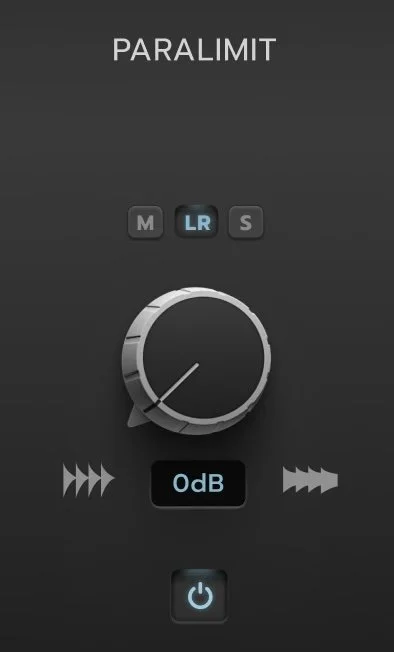
The PARALIMIT Dynamics knob controls the amount of limiting and intelligent makeup gain applied to the parallel signal.
At 0 dB, the Parallel Limiter’s threshold matches the threshold of the Main HiFAL processor.
As you increase the value, you lower the threshold of the Parallel Limiter relative to the main processors' threshold, applying more compression exclusively to the parallel band.
At +24 dB, the Parallel Limiter applies up to 24 dB more compression than the Main HiFAL processor, with its ceiling set 24 dB below the main threshold.
To maintain loudness, intelligent make up gain is automatically applied to compensate for the additional level reduction caused by the increased compression.
PARALIMIT Fader
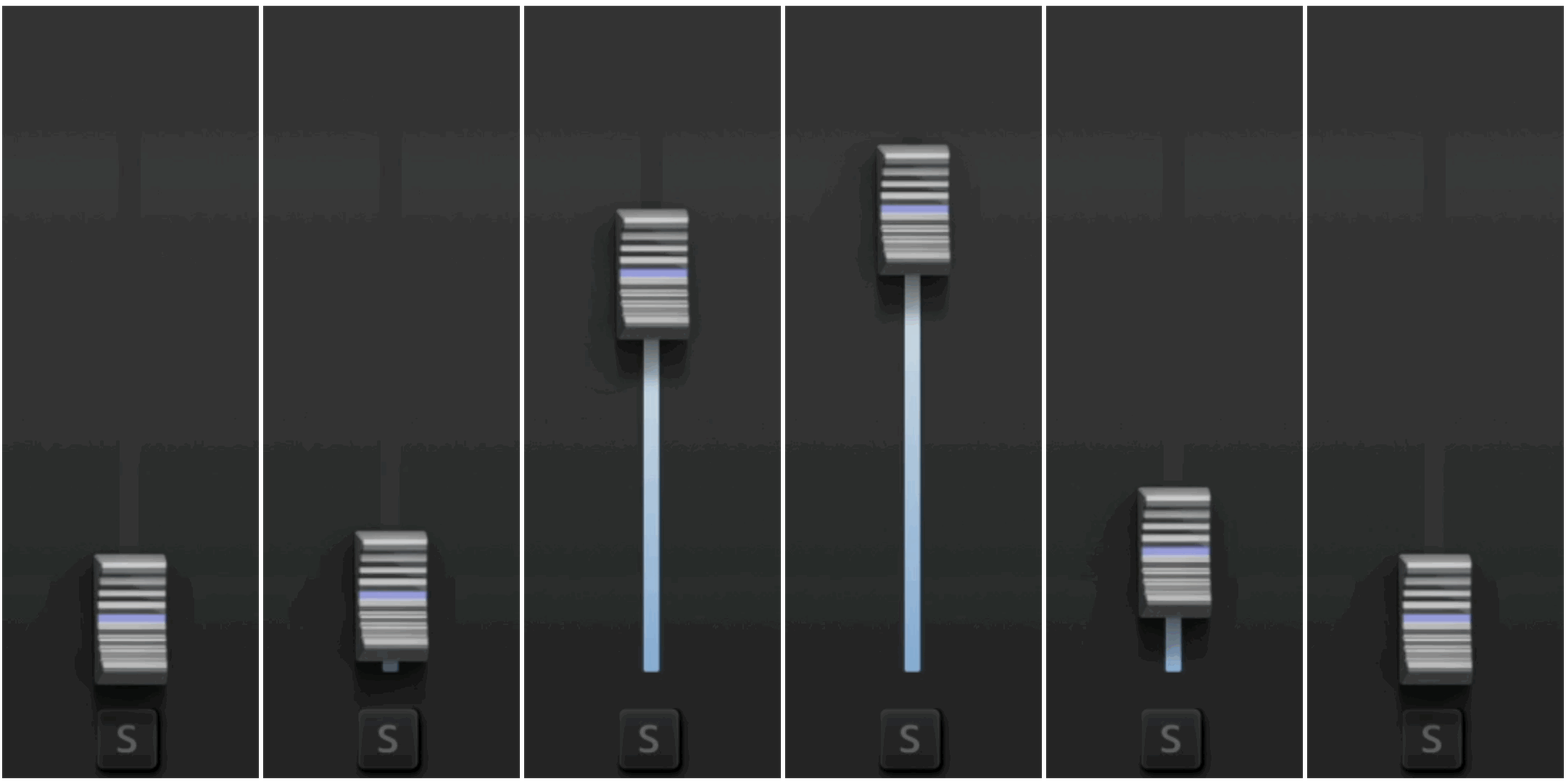
The paralimit fader blends the output of the Parallel Limiter into the main signal, from –∞ to +12 dBFS, just like a fader in your DAW. The parallel signal is perfectly time-aligned and a phase-coherent parallel blend.
This lets you add controlled high-frequency energy by blending the acceleration-limited band back into the mix.
The crossover flags work the same way as in the main HiFAL processor, defining the frequency range being processed, but the pass bands are muted. When the fader is at –∞, the Parallel Limiter is bypassed. You can also turn on and off the parallel band with the power button on the bottom right.
The solo buttons on the crossover flags isolate the parallel signal at full volume for detailed monitoring.
The solo button below the Parallel Fader solos the Parallel Limiter at the level set by the fader, allowing you to hear exactly how much is being added to your track.
Right-click or control-drag the fader or knob to momentarily solo the Parallel Limiter at its set level.
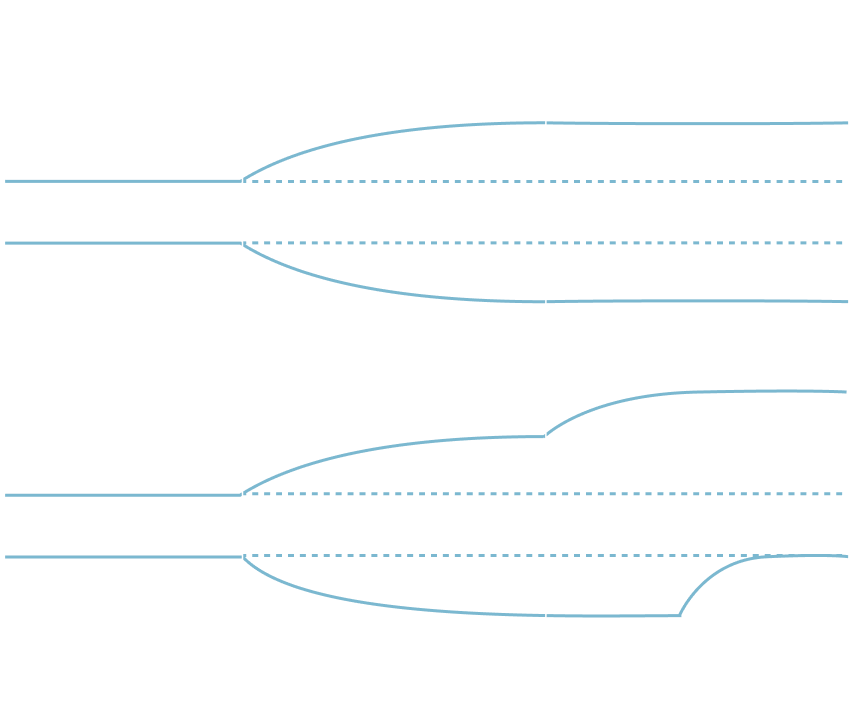
The Trim and Parallel Fader together let you shape controlled high-frequency curves with more precision than traditional EQ or multi-band tools. Some example shapes are shown below, but the possibilities go well beyond what the graph shows.
In Practice:
For mastering, one of my favorite new approaches is to select S and blend only the acceleration-limited Side information back into the mix. Because the transient control happens to the true Left/Right signal before the Side information is extracted, the processing respects the original stereo image. This lets you add high-frequency width and density without simply turning up the Sides.
Be well,
Ryan Schwabe
Grammy-nominated and multi-platinum mixing & mastering engineer
Founder of Schwabe Digital

HiFAL 2 (High Frequency Acceleration Limiter, pronounced “High Fall”) brings a classic vinyl mastering technique into the modern era. Using an often overlooked approach to high-frequency processing, HiFAL 2 lets you shape brightness, transient detail, and stereo image as subtly or aggressively as your mix needs. Designed for the mix bus, HiFAL 2 is jsut as useful anywhere in your mix where high frequencies need attention.