
The main HiFAL and Parallel Limiter modules include both Low Frequency and High Frequency Crossover Flags. These define the process band and are adjustable from 1 kHz to 20 kHz, with built-in logic that maintains at least half an octave of separation between them. If one flag moves too close to the other, the system automatically adjusts to preserve spacing.

Pushing the high-frequency flag beyond 20 kHz bypasses the crossover entirely and activates split-band mode. This mimics the behavior of the original hardware, which uses a fixed 2.5 kHz crossover.
HiFAL uses the custom Schwabe Digital Linear Phase Filterbank to isolate the selected frequency range with mastering-grade accuracy. The half-octave buffer between crossover flags prevents overlap and maintains clean, phase-coherent processing.
In Practice:
II typically use HiFAL in Split Band mode, which most closely mirrors the behavior of the hardware counterpart and is HiFAL’s default state. For a more surgical approach, I define the bandwidth with both crossover flags, then right-click between them to solo the process band and search for the exact frequencies I want to control.
Solo & Momentary Solo

The crossover flags offer soloing options to help you make fast, accurate decisions while mixing or mastering. Each flag includes a latch-able solo button and Momentary Solo key command:
The Low Frequency Crossover Flag solos the process band above it. If the HF Flag is bypassed, LF Flag solos everything above the selected frequency. If the HF Flag is active, the LF Flag solos the process band between the two flags.
The High Frequency Crossover Flag solos the passband above it—essentially previewing the high frequencies excluded from the process band.
This behavior is identical in both the main HiFAL processor and the Parallel Limiter.
Key Commands
Right Click or Control-drag (Ctrl-drag) the flagpole to momentarily solo the band.
Right Click or Control-drag (Ctrl-drag) between the Crossover flags to momentarily solo and move the band up or down while keeping its width unchanged.
In Practice:
I do not recommend mixing or mastering in solo, but HiFAL’s momentary solo feature helps me move fast without getting stuck there. Right-click or Control-drag to quickly isolate what matters, then release it to hear everything back in context. The fixed Solo buttons are there when you need them, but I almost always prefer working momentarily.
Be well,
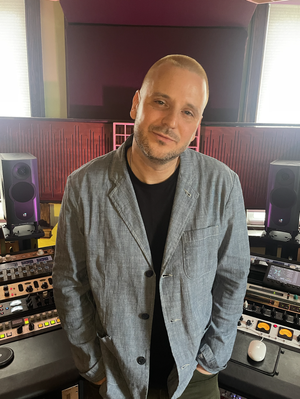
Ryan Schwabe
Grammy-nominated and multi-platinum mixing & mastering engineer
Founder of Schwabe Digital
HiFAL 2 (High Frequency Acceleration Limiter, pronounced “High Fall”) brings a classic vinyl mastering technique into the modern era. Using an often overlooked approach to high-frequency processing, HiFAL 2 lets you shape brightness, transient detail, and stereo image as subtly or aggressively as your mix needs. Designed for the mix bus, HiFAL 2 is jsut as useful anywhere in your mix where high frequencies need attention.