10) Expanding High-End Control with Parallel Limiting
HiFAL’s Parallel Limiter is inspired by a classic Motown vocal mixing trick: duplicate the lead vocal, high-pass filter it, slam it with compression, and blend it back in. The result is a vocal with natural low-end dynamics and tighter compression in the top end. A psychoacoustic effect our ears enjoy.
HiFAL modernizes this approach with its unique acceleration limiting. It isolates a mid or high-frequency band using crossover filters, mutes everything outside that range, applies acceleration limiting, and blends the processed signal back in with a dedicated volume fader running in parallel with the main processor. The result is a bright, controlled high-frequency lift that enhances the mix without overpowering it.
It is a powerful tool for vocals, full mixes, instrument buses, or anywhere you want detail and presence without the fatigue.
This is a function that is easy to overuse, so proceed with caution.
Parallel Limiter Knob:
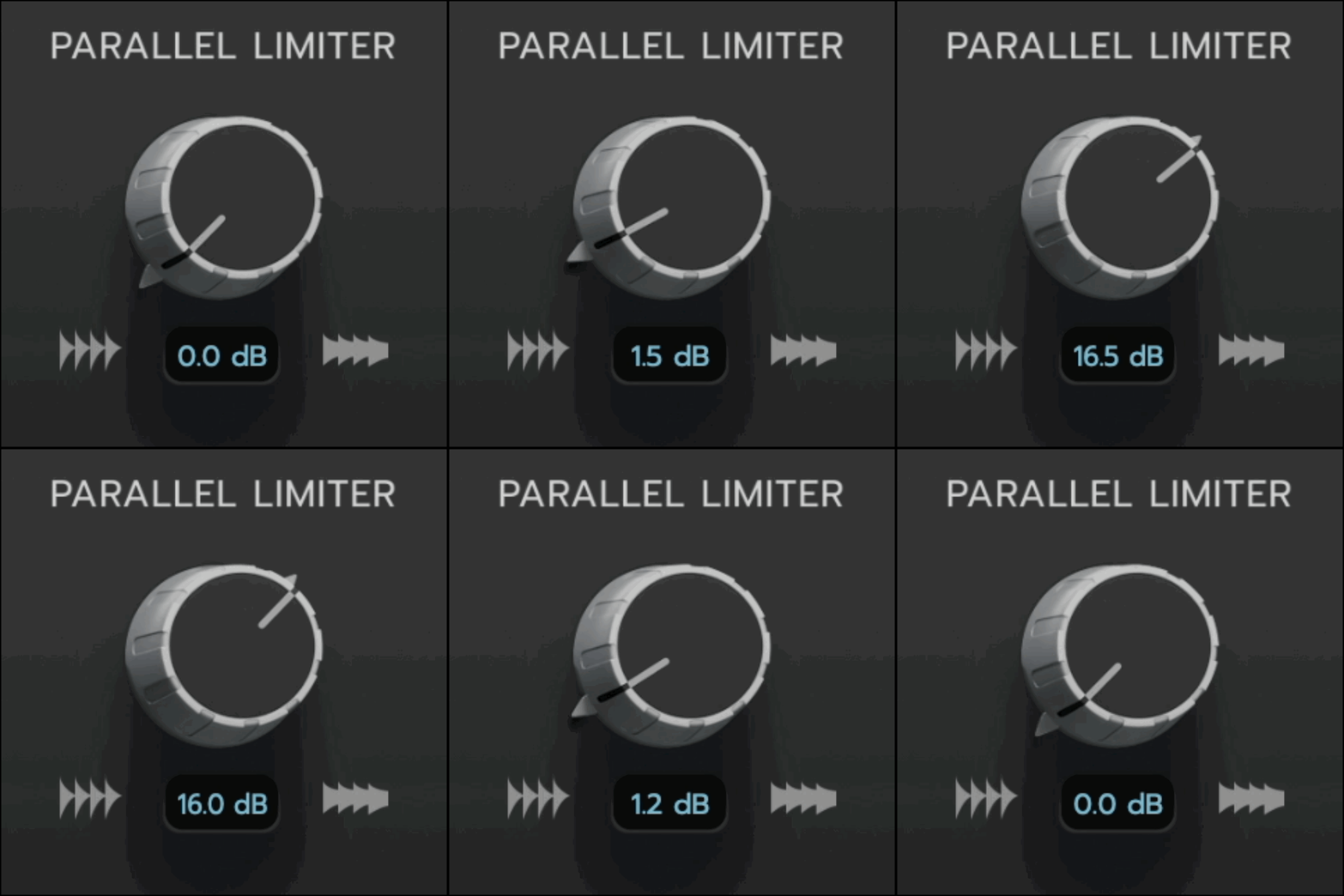
The Parallel Limiter Knob controls the threshold of the Parallel Limiter and its intelligent make up gain all within one knob.
At 0 dB, the Parallel Limiter’s threshold matches the left channel threshold of the Main HiFAL processor.
As you increase the value, you lower the threshold of the Parallel Limiter relative to the main processors' threshold, applying more compression exclusively to the parallel band.
At +24 dB, the Parallel Limiter applies up to 24 dB more compression than the Main HiFAL processor, with its ceiling set 24 dB below the main threshold.
To maintain loudness, intelligent make up gain is automatically applied to compensate for the additional level reduction caused by the increased compression.
Parallel Limiter Fader
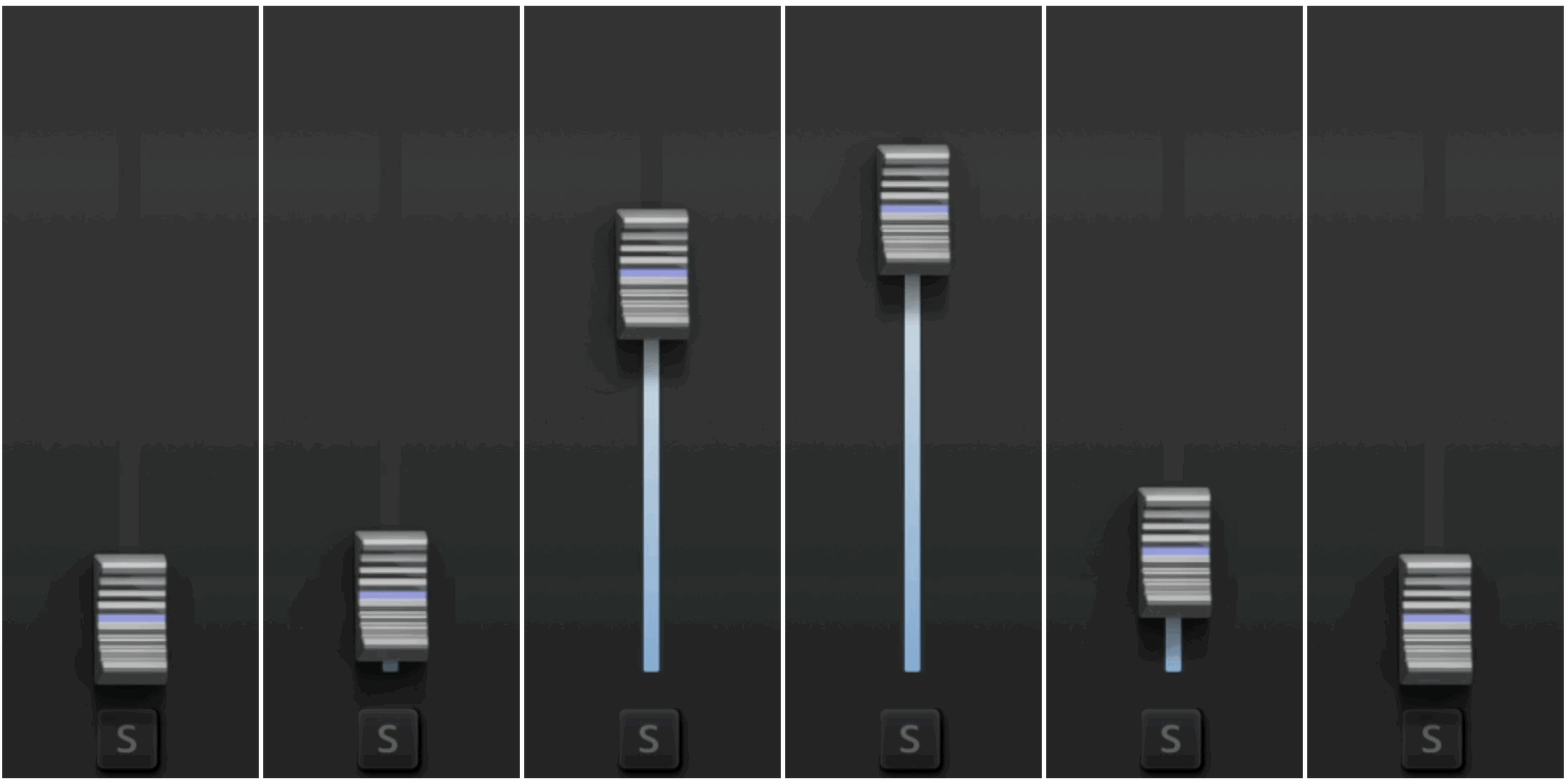
The Parallel Fader blends the output of the Parallel Limiter into the main signal, from –∞ to +12 dBFS, just like a fader in your DAW. The parallel signal is perfectly time-aligned and phase-coherent parallel blend.
This feature can be used to add controlled high frequencies by applying upwards limiting to the mid or high bands, depending on the crossover settings.
The crossover flags work the same way as in the main HiFAL processor, defining the frequency range being processed, but the pass bands are muted. When the fader is at –∞, the Parallel Limiter is bypassed. You can also turn on and off the parallel band with the power button on the bottom right.
The solo buttons on the crossover flags isolate the parallel signal at full volume for detailed monitoring.
The solo button below the Parallel Fader solos the Parallel Limiter at the level set by the fader, allowing you to hear exactly how much is being added to your track.
Right-click or control-drag the fader or knob to momentarily solo the Parallel Limiter.
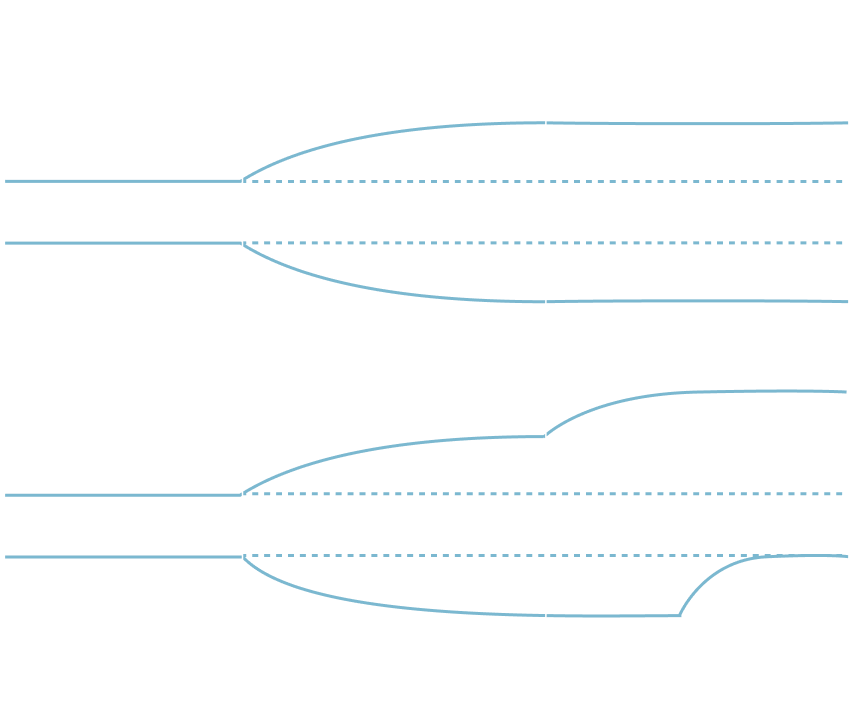
The Trim and Parallel Fader together let you shape controlled high-frequency curves with more precision than traditional EQ or multi-band tools. Some example shapes are shown below, but the possibilities go well beyond what the graph shows.
In Practice:
I start with moderate compression on the main HiFAL processor, then shape the overall high-frequency level with the Trim knob. Next, I use the Parallel Limiter to isolate high-frequency ranges that need more presence, leave dynamics knob at 0, or potentially apply more compression, and blend in the Parallel Limiter at a moderate level using the Fader.
Be well,
Ryan Schwabe
Grammy-nominated and multi-platinum mixing & mastering engineer
Founder of Schwabe Digital